Blueprints in. Bids out.
Upload the plan set, review the takeoff, and pull subcontractor quotes — all in one place.
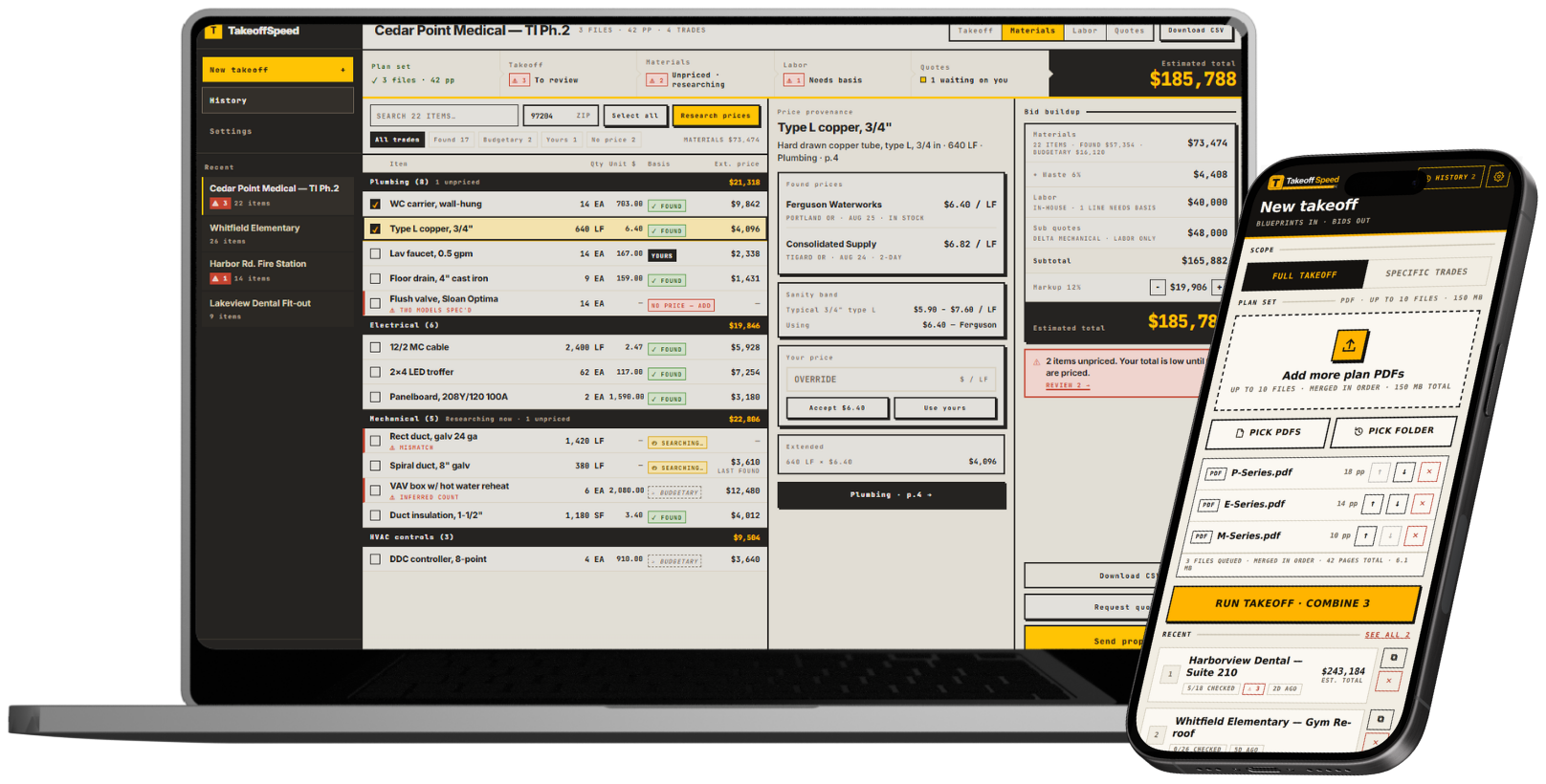
Your bid is scattered across four different places.
The plans are in a PDF. Quantities are in a spreadsheet. Material prices are buried in browser tabs. Subcontractor quotes are sitting in email. Then the proposal gets rebuilt by hand at the end.
TakeoffSpeed connects that loop.
Blueprint to Bid
How a plan set becomes a finished bid — upload to sent proposal, without retyping a single quantity.
Upload plans
Drop in the PDF plan set — up to 10 files, 150 MB total. Pick the trades you want counted, or leave all fourteen.
Break down the scope
Three visible stages with the clock running. Processing time varies with plan size and complexity. After upload, you can return to check progress.
Build the materials list
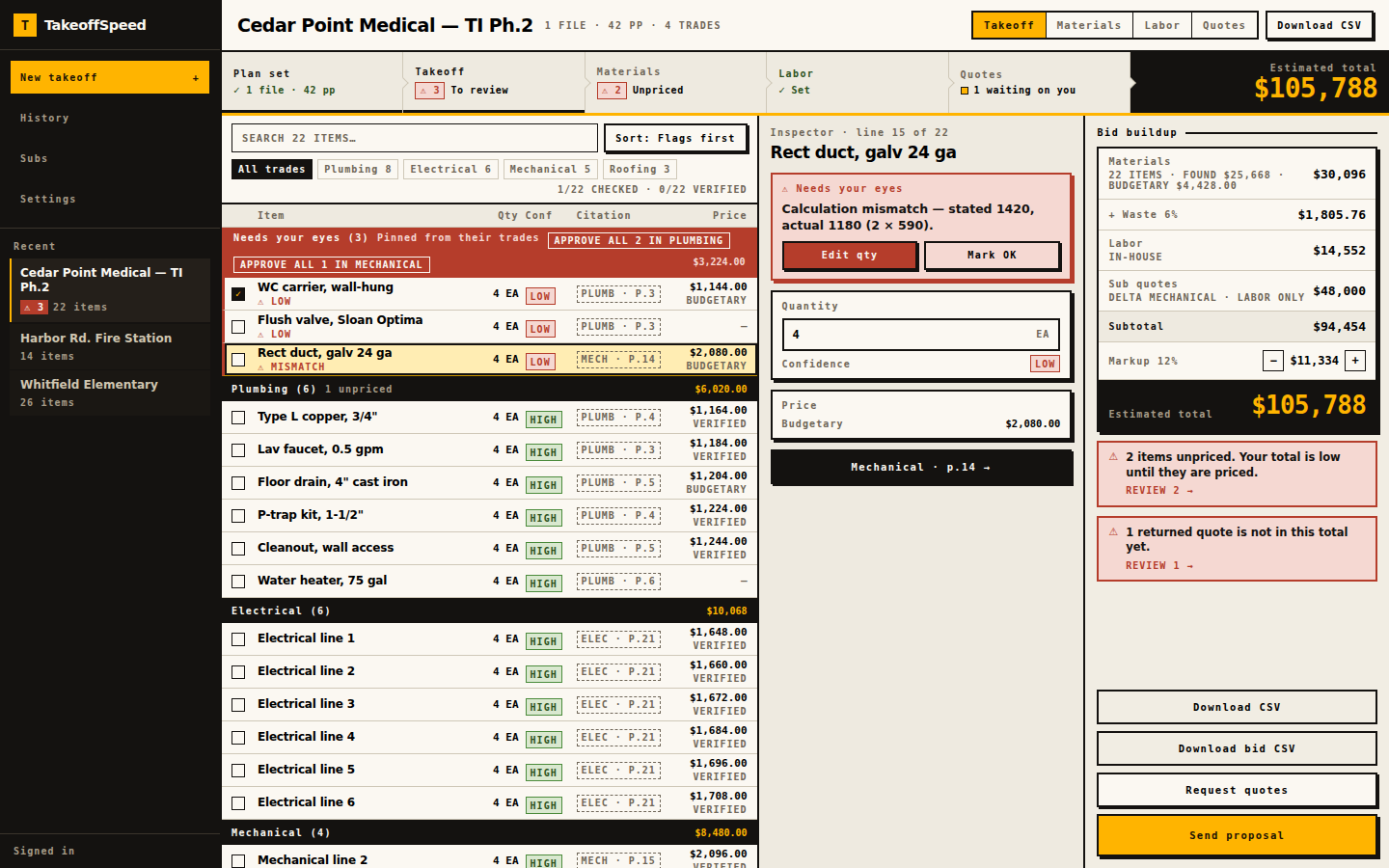
Lines are grouped by trade with available plan-page citations and a HIGH / MED / LOW confidence label. The review queue highlights selected issues and explains why they need attention.
Price the job
Prices per line with the basis attached — ✓ FOUND or ≈ BUDGETARY. Overwrite any with your own supplier number; unpriced lines say NO PRICE, never $0.
Send to subs
Pick the trade and the sub list filters to match. Each sub gets their own email under your name — quantities only, their trade's sheets, a written scope.
Get quotes back
Your sub answers on their phone, no login. Choose replace-covered-lines or labor-only with both totals shown, so SELF and SUB never pay for the same work twice.
Send the bid
One rail carries the whole bid — materials, waste, labor, sub quotes, markup — and always agrees with the table. Export CSV or Word, or send the proposal.
Also in the loop
We do not run your company.
We help you get the bid out.
Construction software keeps adding more. More modules, more tabs, more setup, more training. TakeoffSpeed goes the other way.
The one job
Built for small general contractors who still bid the job themselves.
Owner-operators and small GCs with mixed self-performed and subcontracted work. Solo shops, remodelers, and trade contractors have their own pages. Estimators too.
Small general contractors
One to twenty people. The owner or one estimator still builds the bid from PDF plans, material prices, and sub quotes. See the GC page.
Self-performed and subcontracted
Assign SELF vs SUB, send guest RFQ links on every plan, and keep quote coverage visible so the same scope is not counted twice.
Show the work
Page-level evidence, confidence labels, and math-check flags sit on the list so you can audit a count before it hits the bid.
The takeoff is only step one.
Counting the plans is not the end of the work. You still have to price materials, separate your work from subcontracted work, collect quotes, prevent double-counting, and build the proposal.
Most takeoff tools stop after the count. Broad construction software tries to run the company. TakeoffSpeed connects the Plan-to-Bid Loop without a project-management migration.
What the loop includes
AI should not ask you to trust a magic number.
See where the quantity came from, how it was calculated, what the system is confident about, and what still needs human review or a subcontractor quote.
Line items can include a page-level citation for review. When a line has a valid citation, click its chip to open the referenced plan page. When a line has no usable page reference, check it against your plans before relying on its quantity.
Shown on every bid
“I was bidding against four or five other companies. Nobody else got their bid in on time. I was the only one who did — and it was because of TakeoffSpeed.”
“I’ve used TakeoffSpeed to bid three of my projects. I won the project because of the speed and the accuracy.”
The risk is ours, not yours.
First-takeoff guarantee
Run your first takeoff — if it doesn't earn its keep, tell us and we'll refund your month.
Sunday-Off
Still doing manual takeoffs on Sunday night after 30 days? Full refund.
Cancel anytime
Stripe billing, no long-term contract. Refunds are manual — email us.
Subscriptions, not per-takeoff invoices.
Owner-operators bidding a few jobs a month.
- Five successful takeoffs per month
- Materials list, pricing, and proposal
- Subcontractor RFQs included
- Annual: 2 months free
Small GCs coordinating self-performed and subcontracted work.
- Fifteen successful takeoffs per month
- Materials list, pricing, and proposal
- Subcontractor RFQs — guest links, returned quotes, inclusions and exclusions
- Annual: 2 months free
Estimating teams running several bids at once.
- Forty successful takeoffs per month
- Materials list, pricing, and proposal
- Subcontractor RFQs included
- Annual: 2 months free
Answers from the driver's seat.
How long does a takeoff take?
What do I get from a takeoff?
What files can I upload?
What do my subs receive?
Can I import my sub list?
How does local pricing work?
Can I export the bid?
What are the guarantees?
Do failed takeoffs count against my cap?
Run one real bid through the full loop.
Start with the plan set already sitting in your inbox. If your first takeoff does not earn its keep, ask for your month back.
Run your first bid